Update Eden and Ryujinx Keys and Firmware on Windows and Steam Deck
If you're diving into the world of emulation, keeping your Eden and Ryujinx emulators up to date is crucial for running the latest Nintendo Switch games. In this guide, we'll walk you through updating your prod.keys and firmware on both Windows and the Steam Deck, ensuring a seamless gaming experience.
The Importance of Updating prod.keys and Firmware
Before we get into the specifics, you might wonder why updating these components is necessary. Prod.keys are essential for decrypting game files, while the firmware ensures compatibility with newer games and features. Without these updates, you might find yourself unable to play the latest titles or experience bugs and glitches.
How to Update Your prod.keys and Firmware
Eden Emulator (Windows & SteamOS)
Updating prod.keys
To get started, download the latest prod.keys v22.1.0 from this link.
- Open Eden.
- Navigate to the top menu and click Tools → Install Decryption Keys.
- Select the prod.keys file you downloaded.
That's it! Your keys are now updated.
Updating the Firmware
Download Firmware v22.1.0 from this link.
- In the top menu, go to Tools → Install Firmware → From ZIP.
- Select the firmware.22.1.0.zip file you downloaded.
- Wait for the installation to complete.
Your firmware is now updated.
</figure>Ryujinx Emulator (Windows & SteamOS)
Updating prod.keys
Download the latest prod.keys v22.1.0 from this link.
- Open Ryujinx.
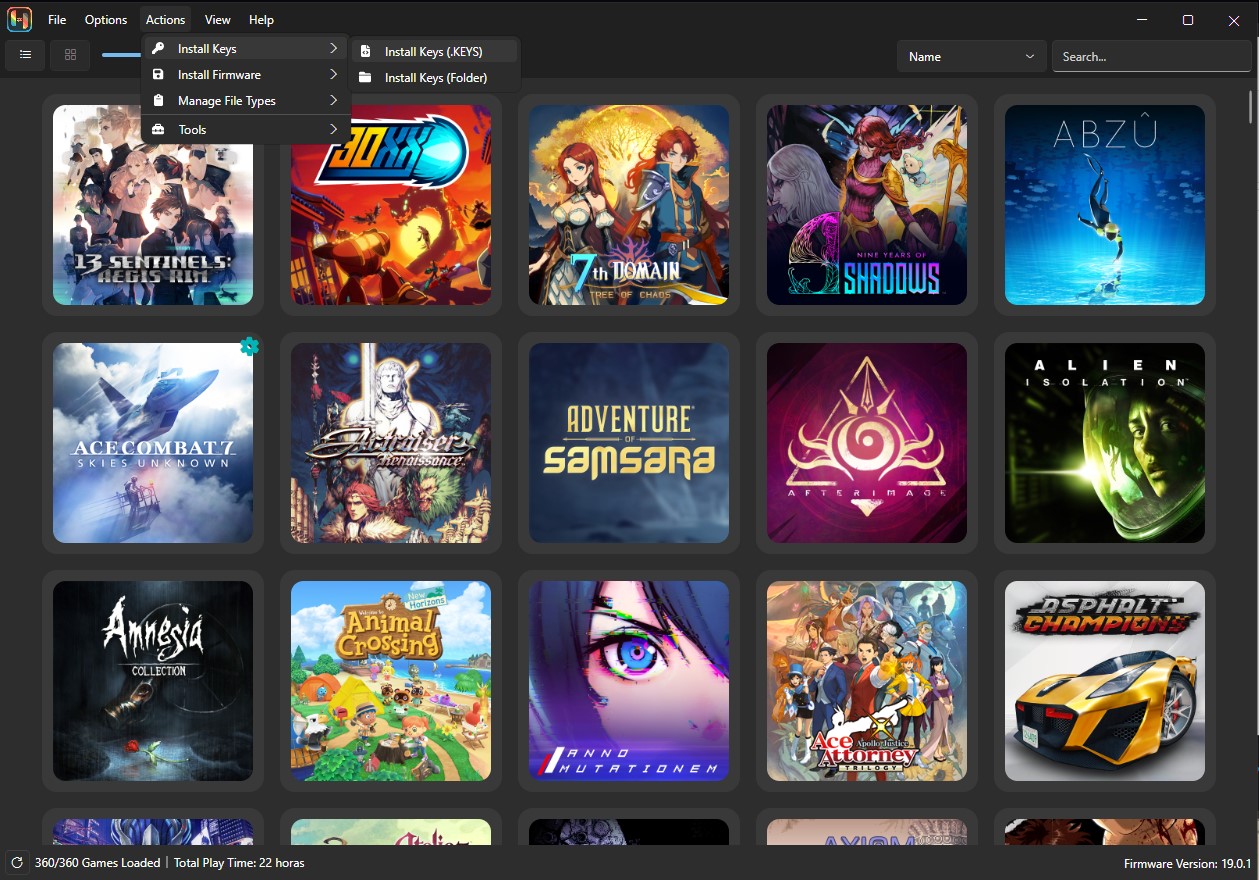
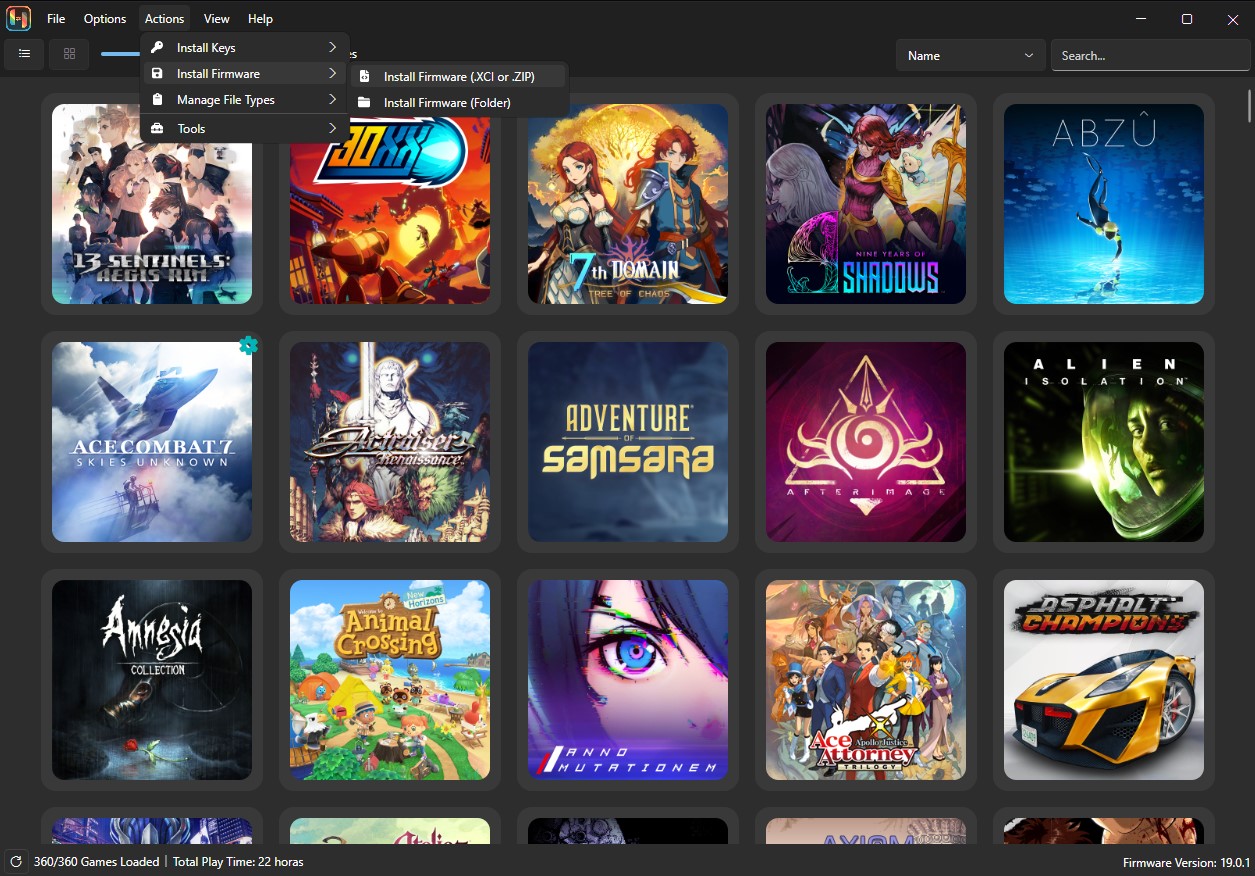
- In the top menu, go to Actions → Install Keys → Install Keys (.keys).
- Select the prod.keys file you downloaded.
That's it! Your keys are now updated.
Updating the Firmware
Download Firmware v22.1.0 from this link.
- In the top menu, go to Actions → Install Firmware → Install Firmware (.XCI or ZIP).
- Select the firmware.22.1.0.zip file you downloaded.
- Wait for the installation to complete.
Your firmware is now updated.
</figure>Common Mistakes and Tips
Updating keys and firmware is straightforward, but here are a few tips to avoid common pitfalls:
- Backup your current keys and firmware before updating. This ensures you can revert if something goes wrong.
- Ensure your emulator is up to date. Sometimes, the emulator itself requires updates to support new keys and firmware.
- Check compatibility: Make sure the firmware version matches your emulator's requirements.
- Be cautious with sources: Only download keys and firmware from trusted links to avoid malware or corrupted files.
Conclusion
Updating your Eden and Ryujinx emulators with the latest prod.keys and firmware is crucial for a smooth gaming experience. By following these straightforward steps, you ensure that your system runs the latest games without a hitch. If you're managing a large library of games and find manual updates cumbersome, consider using services like Retrogrados Gaming. We provide pre-configured libraries with lifetime updates, taking the hassle out of manual updates. Happy gaming!